HubSpot Campaigns: The Complete Implementation Playbook
HubSpot campaigns implementation playbook: what they track, how they differ from Salesforce, the tools, phases, and reporting that prove campaign ROI.

Table of contents
HubSpot Campaigns: The Complete Implementation Playbook
Most HubSpot campaigns fail to prove ROI, and the reason is rarely the campaign itself. In RevBlack's experience implementing HubSpot campaigns for B2B SaaS teams, the problem is almost always attribution: leads arrive from a dozen sources, and none of them trace back to the campaign that created them. Teams that implement HubSpot campaigns with proper source attribution and reporting can show the board exactly which campaigns generated pipeline and closed-won revenue, instead of guessing. This playbook covers the full implementation: what HubSpot campaigns do, how they differ from Salesforce campaigns, the questions to ask before you start, the tools involved, the phased rollout, and the mistakes that quietly break reporting.
Running HubSpot campaigns but cannot prove ROI? RevBlack builds campaign tracking and attribution for PE-backed teams that need numbers they can take to the board.
BOOK A FREE ATTRIBUTION AUDITWhat Is a HubSpot Campaign?
A HubSpot campaign is a single container that groups related marketing assets, including emails, landing pages, ads, social posts, and forms, so their combined impact on one goal can be measured. If you're new to the tool, start with our overview of how HubSpot campaigns work and how to use them before working through this implementation playbook. HubSpot defines a campaign as an organized effort toward a specific goal, and the campaigns tool centralizes both the assets and the reporting in one place.
The purpose of a HubSpot campaign is to track every stage of a prospect's journey and reveal where conversions happen. Without a campaign, teams gather content from scattered sources and run it against individual team goals rather than one company objective. The campaign consolidates those resources, ties each contact to its original traffic source, and exposes ROI and KPI performance over time. RevBlack treats the campaign as the organizing layer that connects a contact to its origin and to the actions that turned it into a lead. For the platform mechanics, see HubSpot's campaigns tool documentation.
How Do HubSpot Campaigns Relate to Salesforce Campaigns?
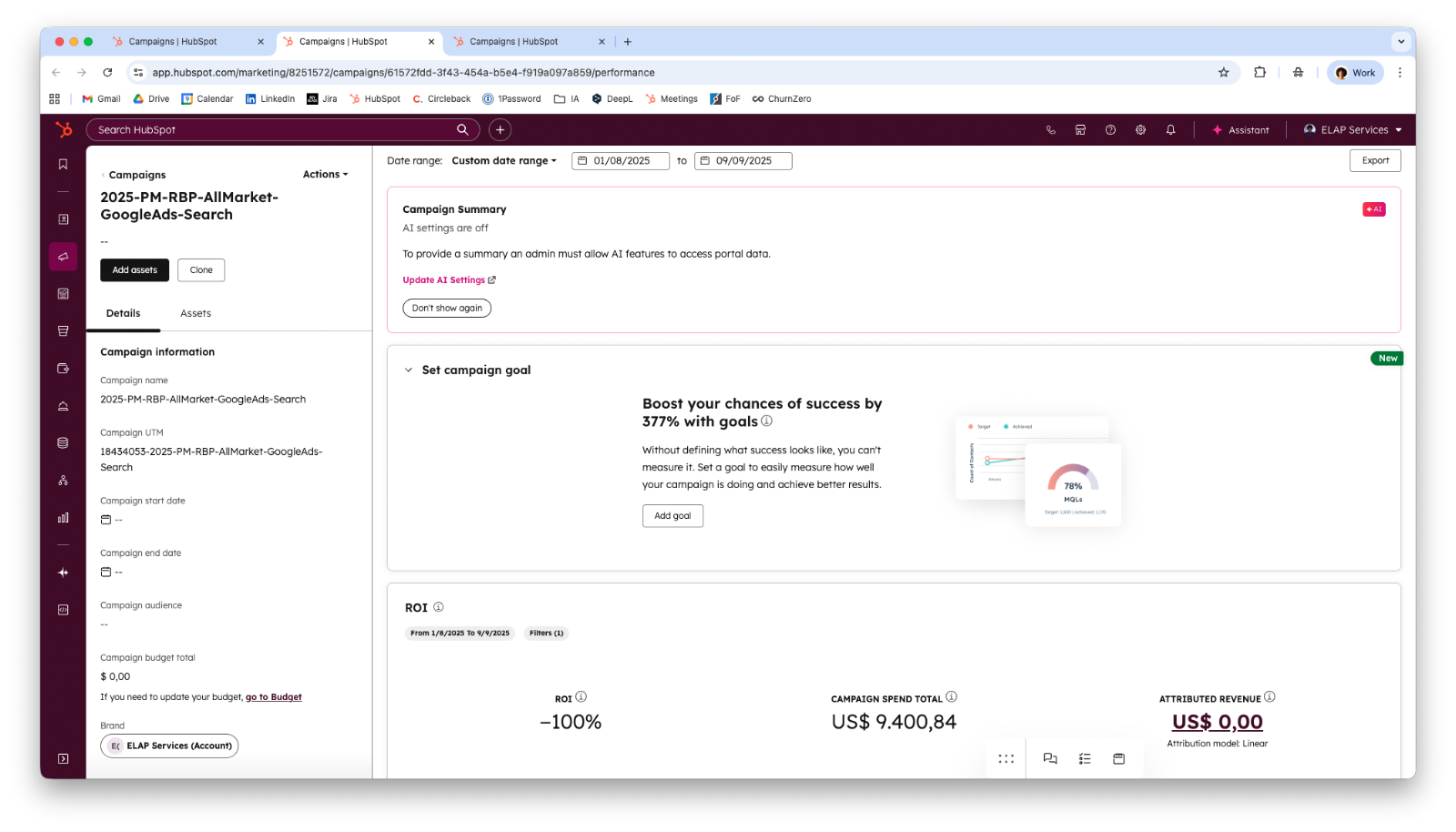
HubSpot campaigns group marketing assets, while Salesforce campaigns group people as campaign members and track them through to revenue. If you run both, HubSpot handles marketing execution and early metrics, Salesforce owns pipeline and closed-won reporting, and workflows connect the two. Our guide to how HubSpot and Salesforce campaigns work together covers that setup in detail.
Pairing a campaign with a lead score sharpens this further, because interactions with campaign assets qualify the contact while tracking the source. RevBlack recommends building the RevOps lead scoring playbook alongside the campaign structure for exactly this reason. When the customer runs Salesforce, the connection between both tools is set up through the HubSpot-Salesforce integration.
What KPIs Do HubSpot Campaigns Track?
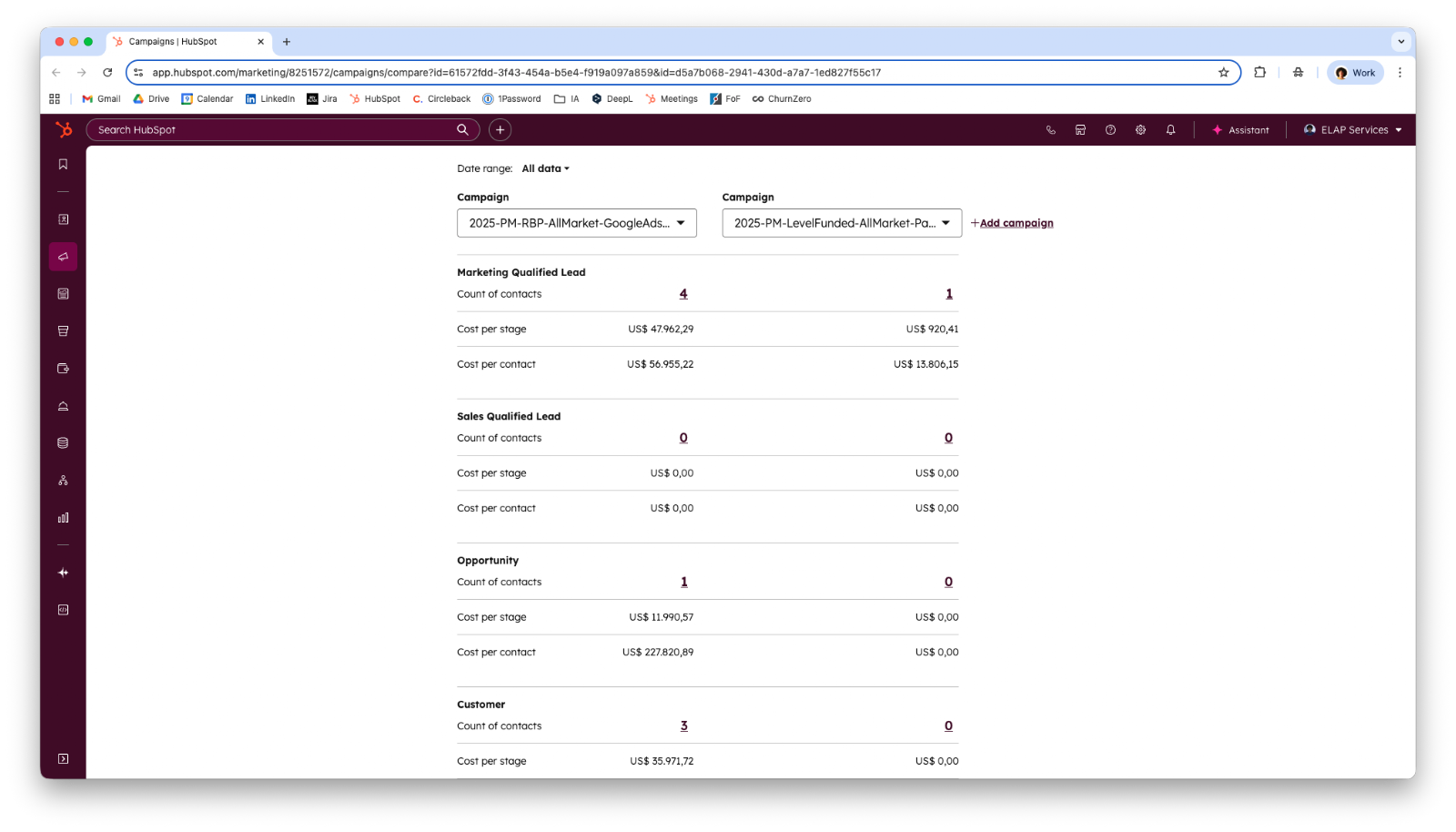
HubSpot campaigns track three KPIs tied to marketing channel ROI: lead generation, pipeline, and closed-won bookings. These three measure the full path from a contact being created to revenue landing.
The three KPIs work as a sequence:
- Lead generation. Lead generation measures contacts created by each campaign and how many convert into Marketing Qualified Leads (MQLs). An MQL (Marketing Qualified Lead) is identified either by a hand-raising action, such as filling out a form, or by accumulating points in the lead score through marketing interactions.
- Pipeline. Pipeline measures plausible sales opportunities created from product interest, focusing on MQLs actively progressing through the sales process.
- Closed-won bookings. Closed-won bookings measure the count and monetary value of successfully closed sales, which is the basis for calculating ROI.
These KPIs support two kinds of analysis. Individual analysis examines one campaign's ROI, the performance of specific assets, or the effectiveness of channels like LinkedIn versus Facebook for a message. Group analysis reveals which campaigns generate the most profit, how many deals each brings, and total leads created over a period. Together they answer the business question every campaign exists to answer: what do ideal customers want, and what moves them to buy.
What Questions Should You Ask Before Implementing HubSpot Campaigns?
Answer a set of strategic questions before any technical setup, because campaign tracking only works when it is built around how the business actually generates and measures leads. RevBlack splits these into must-ask questions and nice-to-know questions, and provides guidance and best practices when a client cannot answer them.
The must-ask questions are non-negotiable:
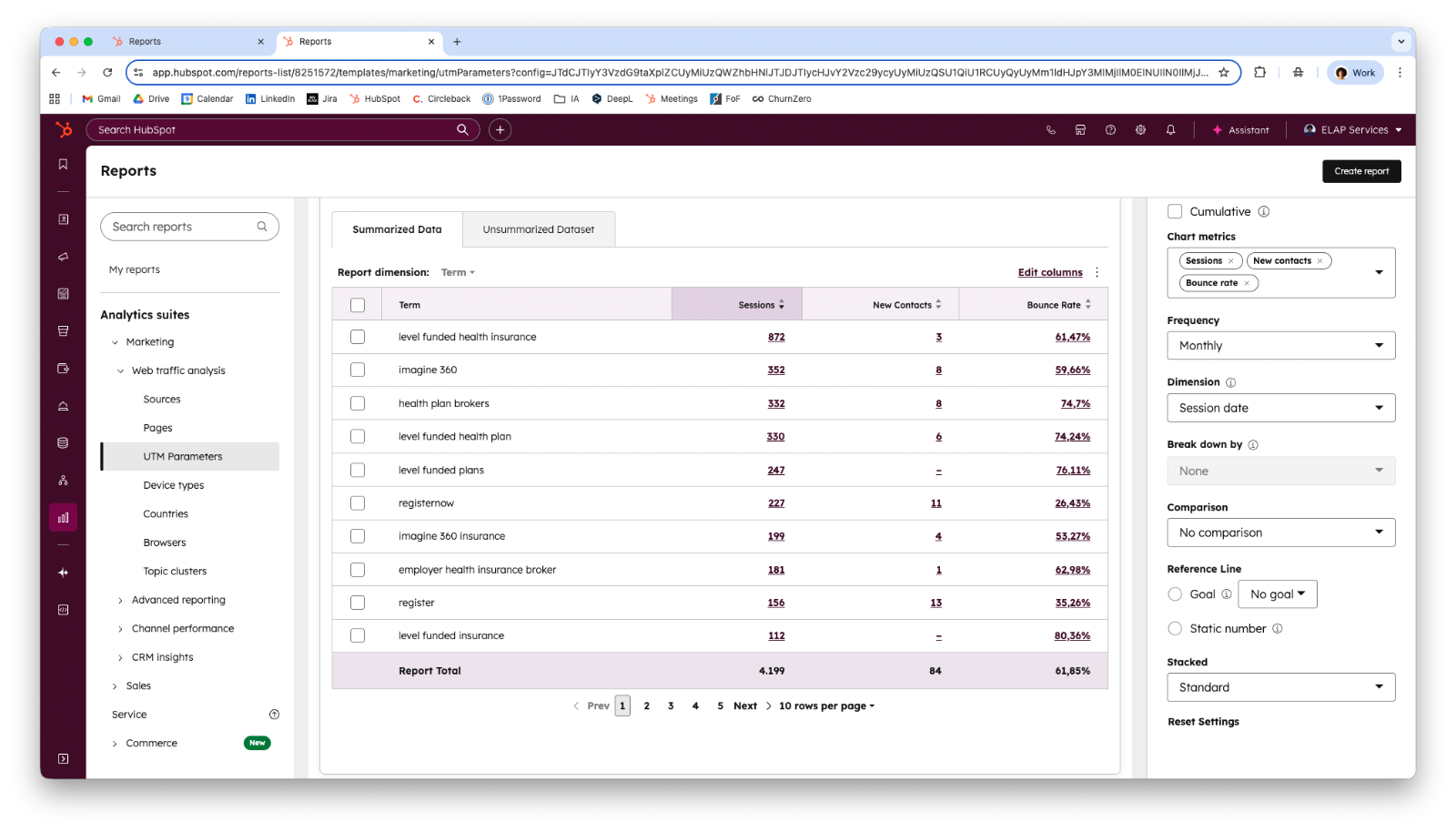
- What are all the ways leads are created in your CRM? Sources usually include manual sales-rep creation, marketing channels like emails and social posts, website traffic, and offline imports from events or enrichment tools. Mapping these defines the tech stack and the reports to build: speed-to-lead, lead creation per source, contact creation per source, the contact funnel, and a campaign breakdown.
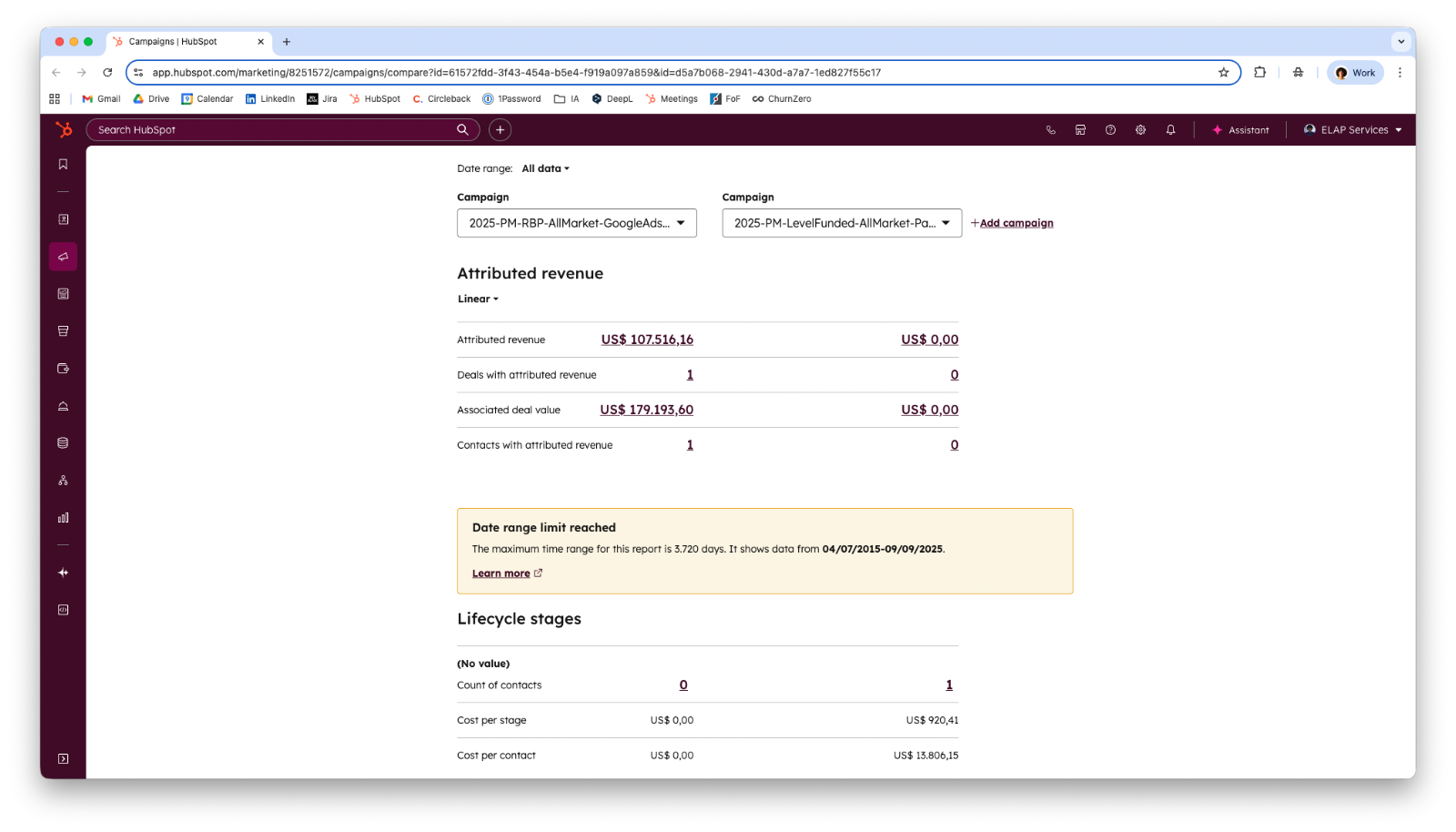
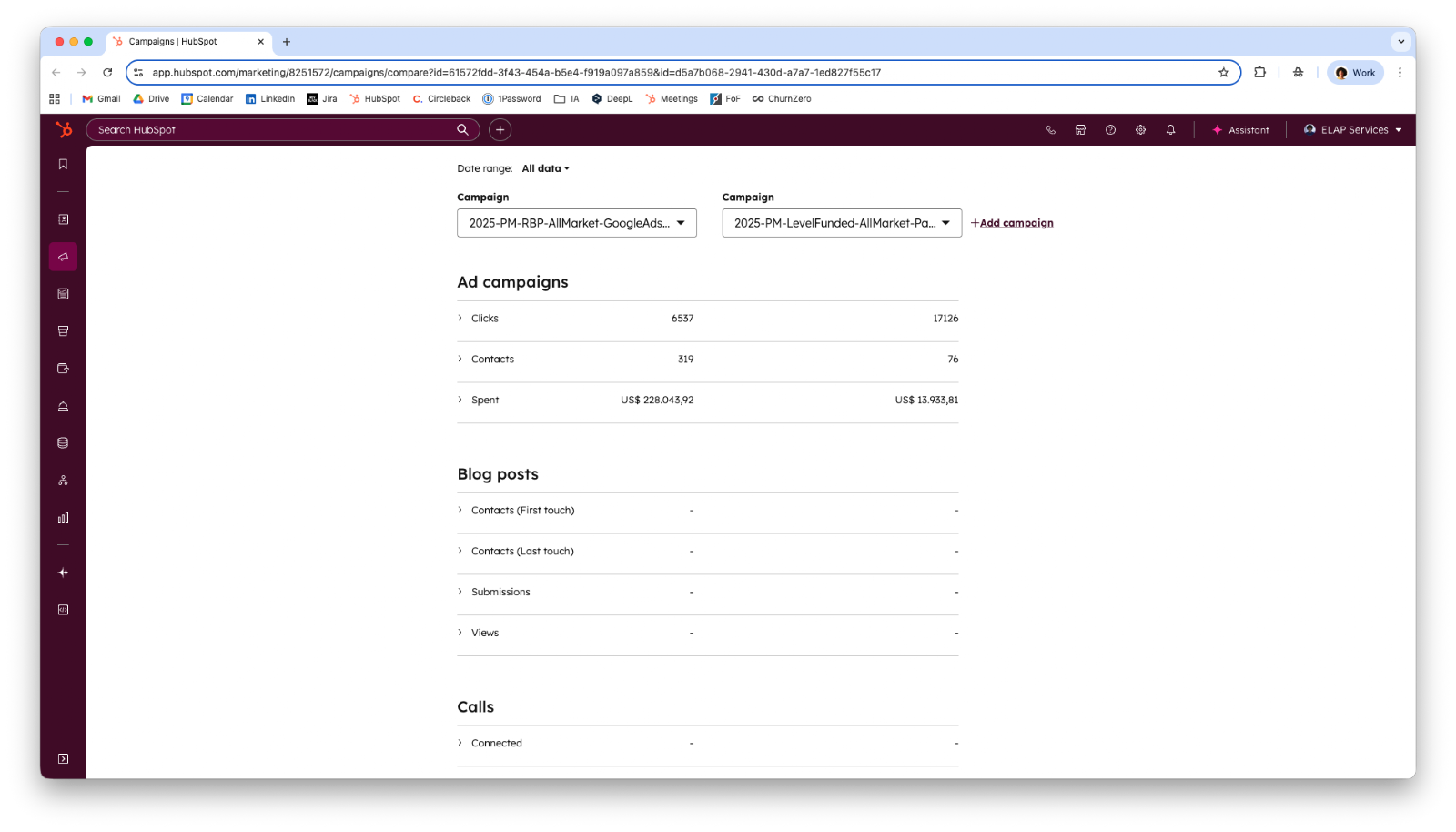
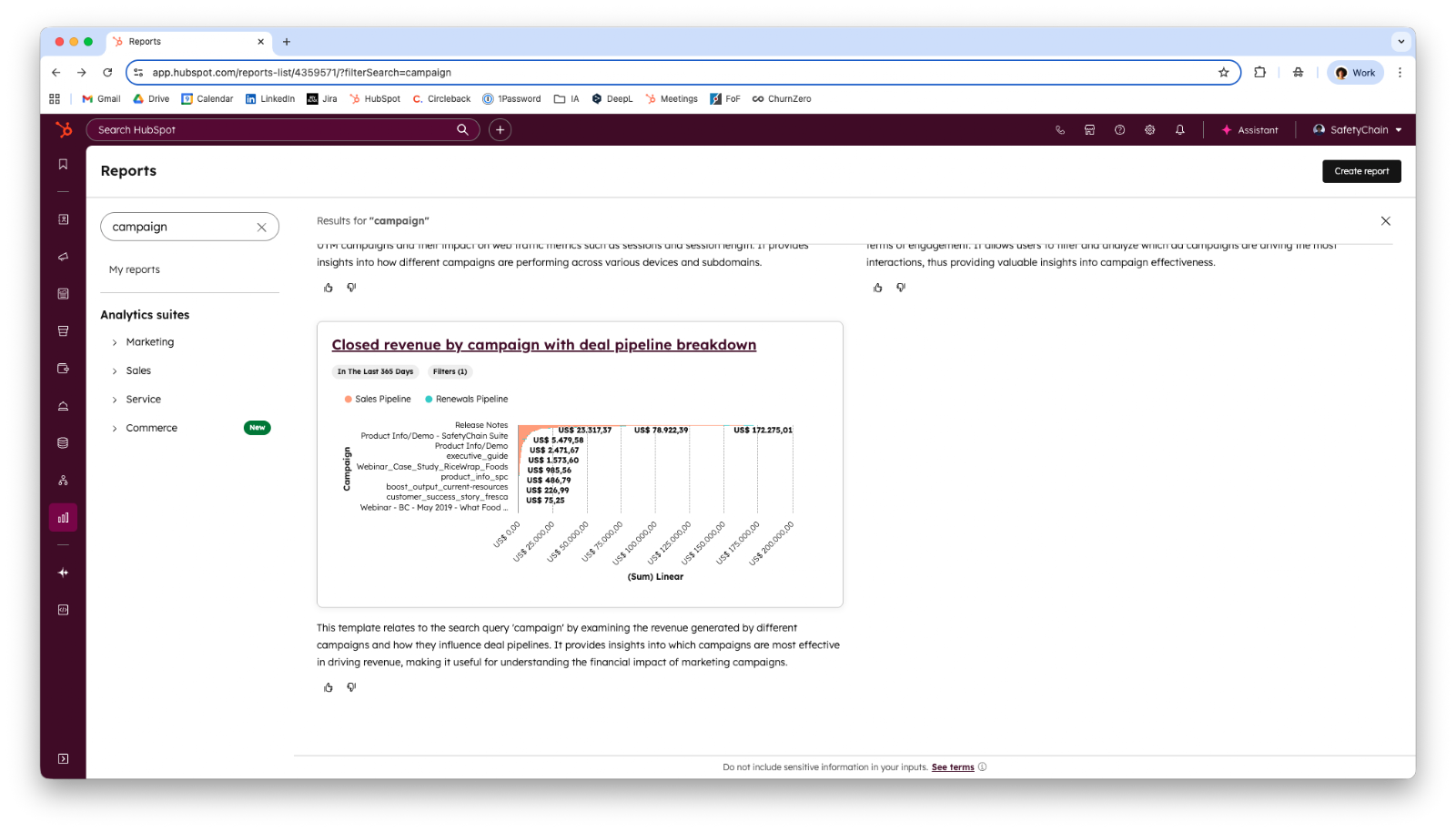
- How and where are you seeing ROI? If a paid campaign reports ROI outside HubSpot, in Looker Studio, Google Analytics, Power BI, or an ads manager, that ROI has to be translated into HubSpot through the ads tool or campaign budget fields. The reports to build are deals created by campaign and deals closed by campaign, in both count and dollars.
- Where is marketing diverting budget that it wants to track? Listing every place budget and time are spent, from PPC to blog-writing hours, separates what belongs in a campaign from what would be overkill to track.
The nice-to-know questions add precision. Knowing the inbound versus outbound lead mix shows whether offline sources need extra automation, and knowing which automations are channel-specific prevents workflows from overwriting data. The recommended reports above lean on a clean speed-to-lead measurement, so confirm that source data is captured first.
What Tools and Assets Are Involved in a HubSpot Campaign?
A HubSpot campaign can include nearly every Marketing Hub asset, grouped under one campaign umbrella. The assets fall into three categories: content, advertising, and interaction.
The asset types break down as follows:
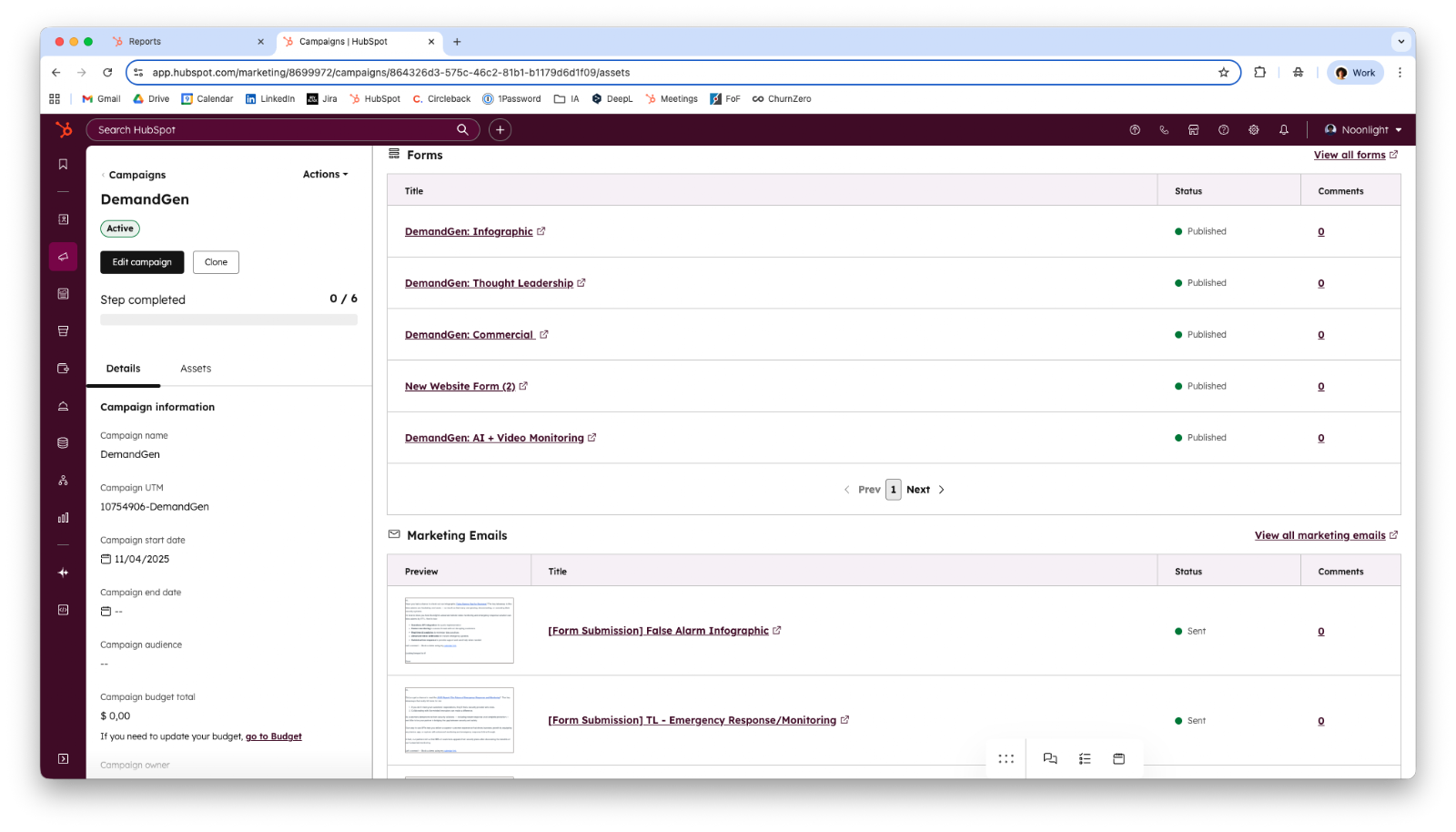
- Content assets. Blog posts, marketing emails, landing pages, website pages, social posts, forms, and calls-to-action (CTAs) all attach to a campaign.
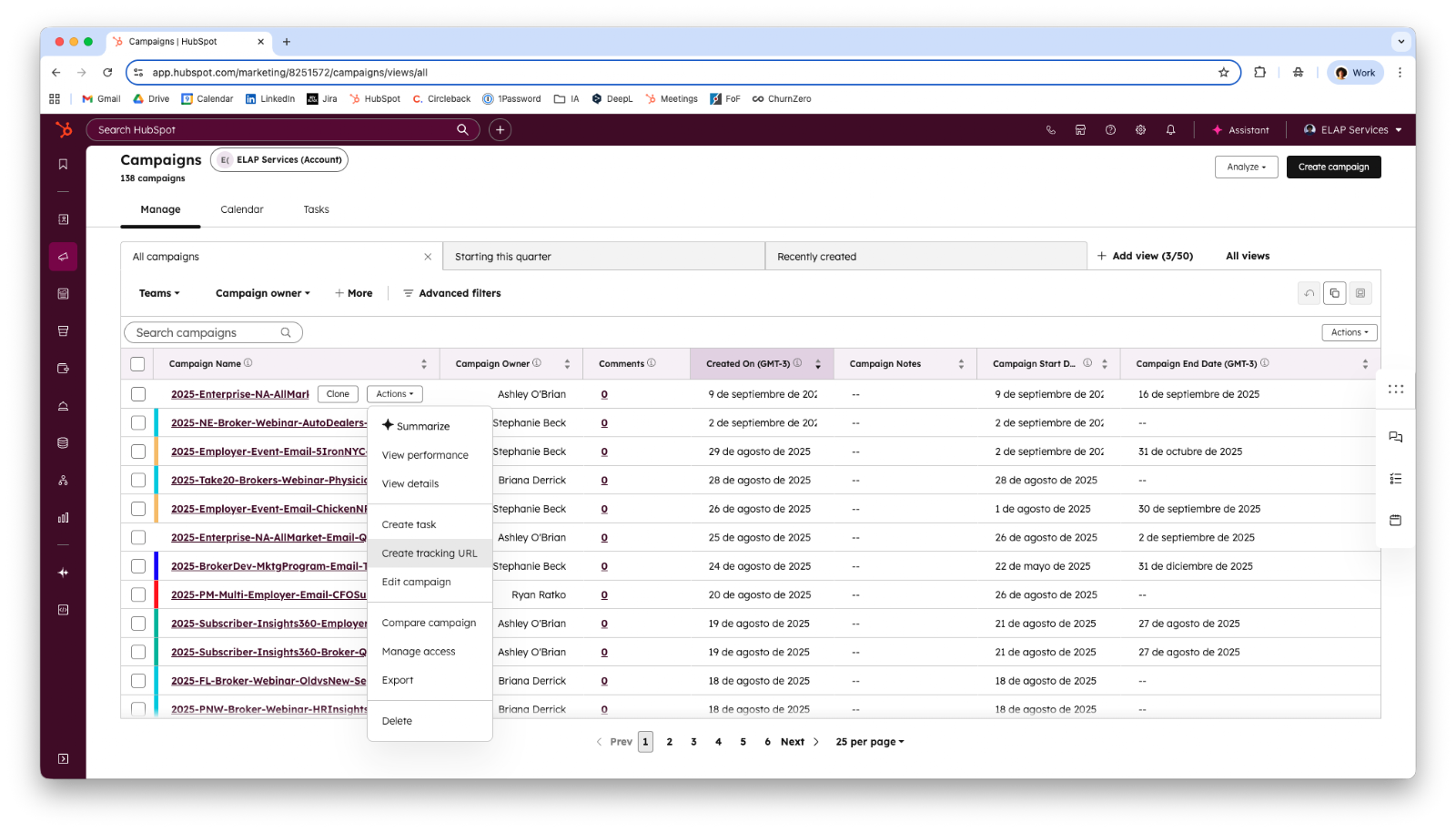
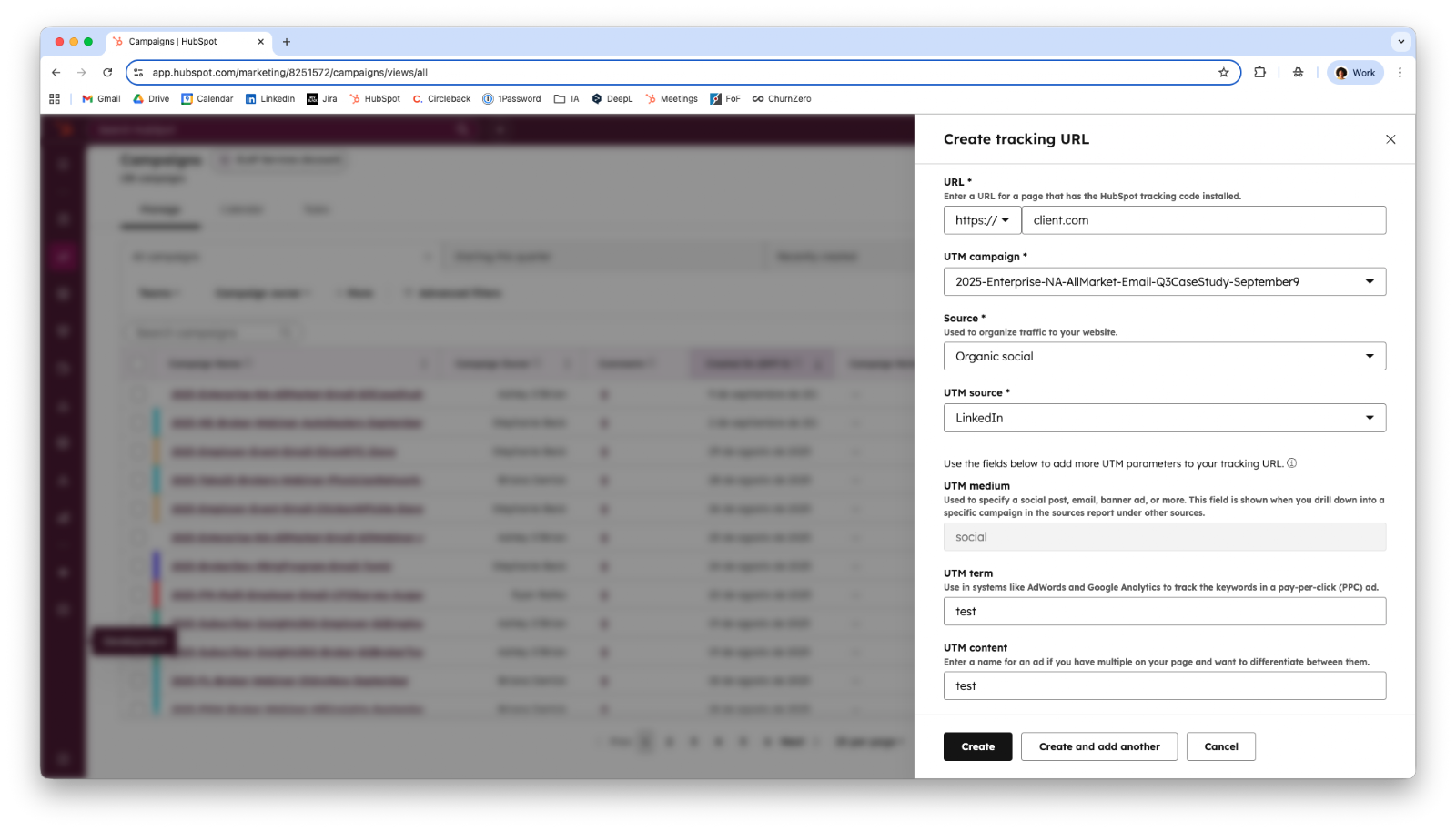
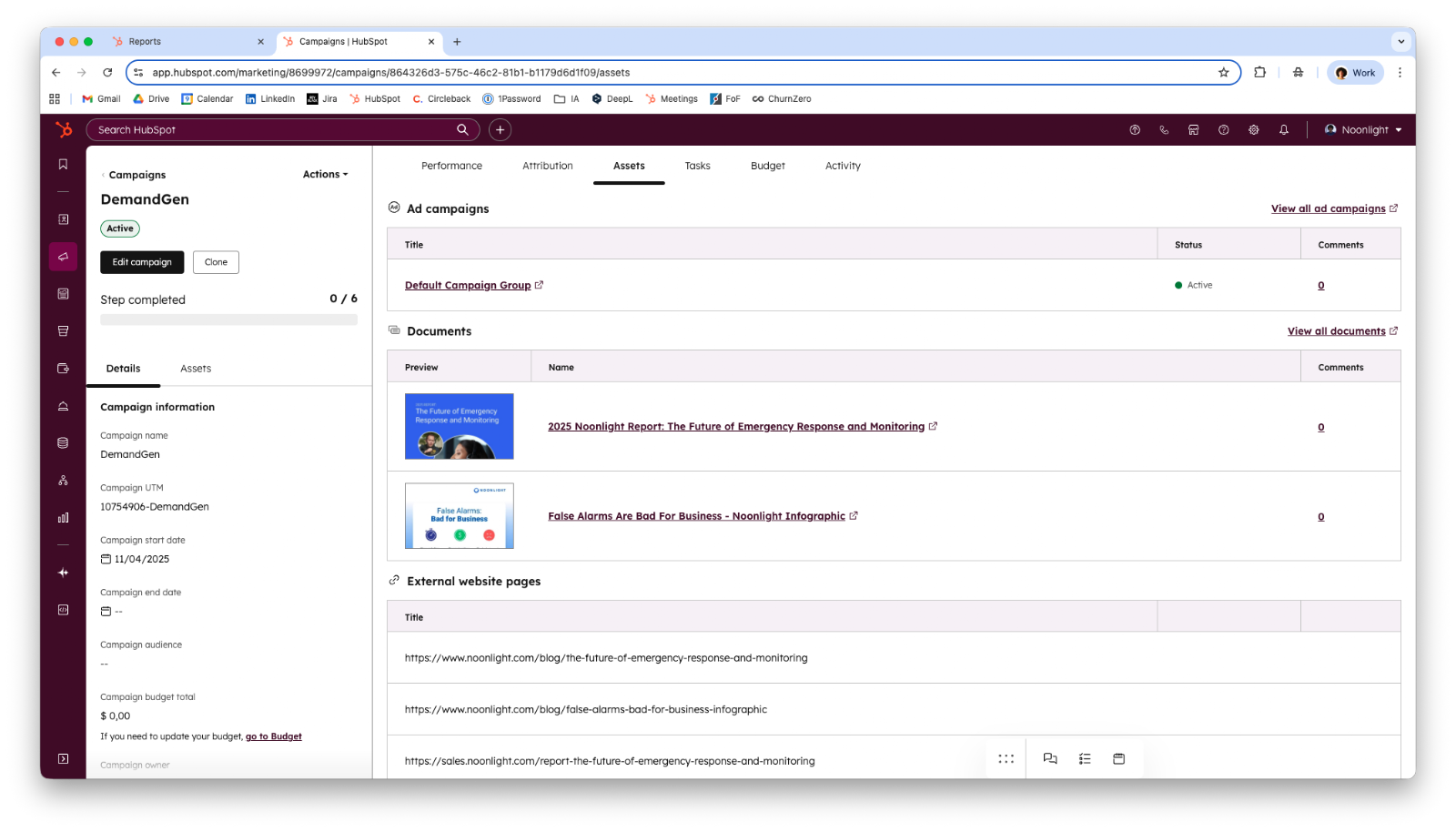
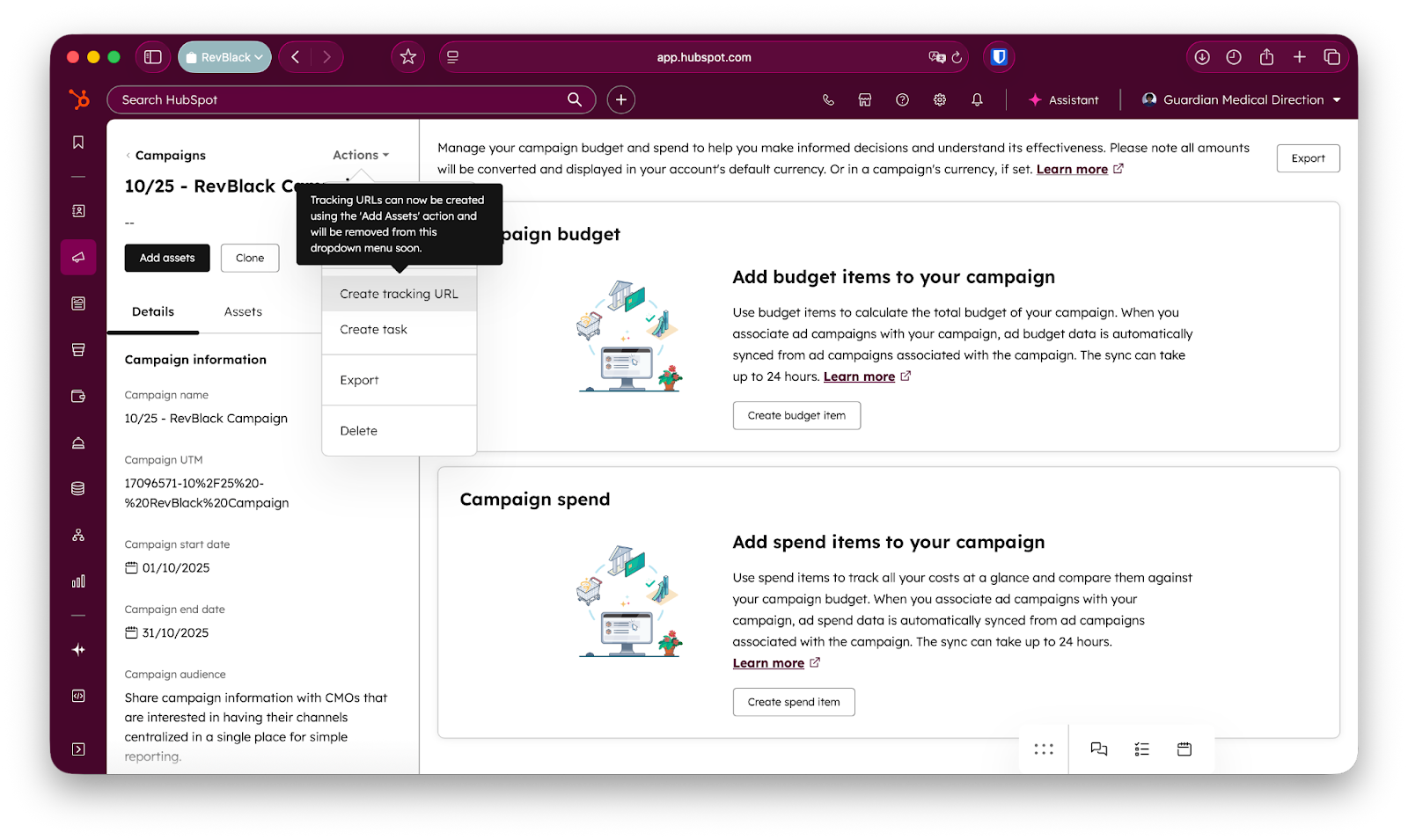
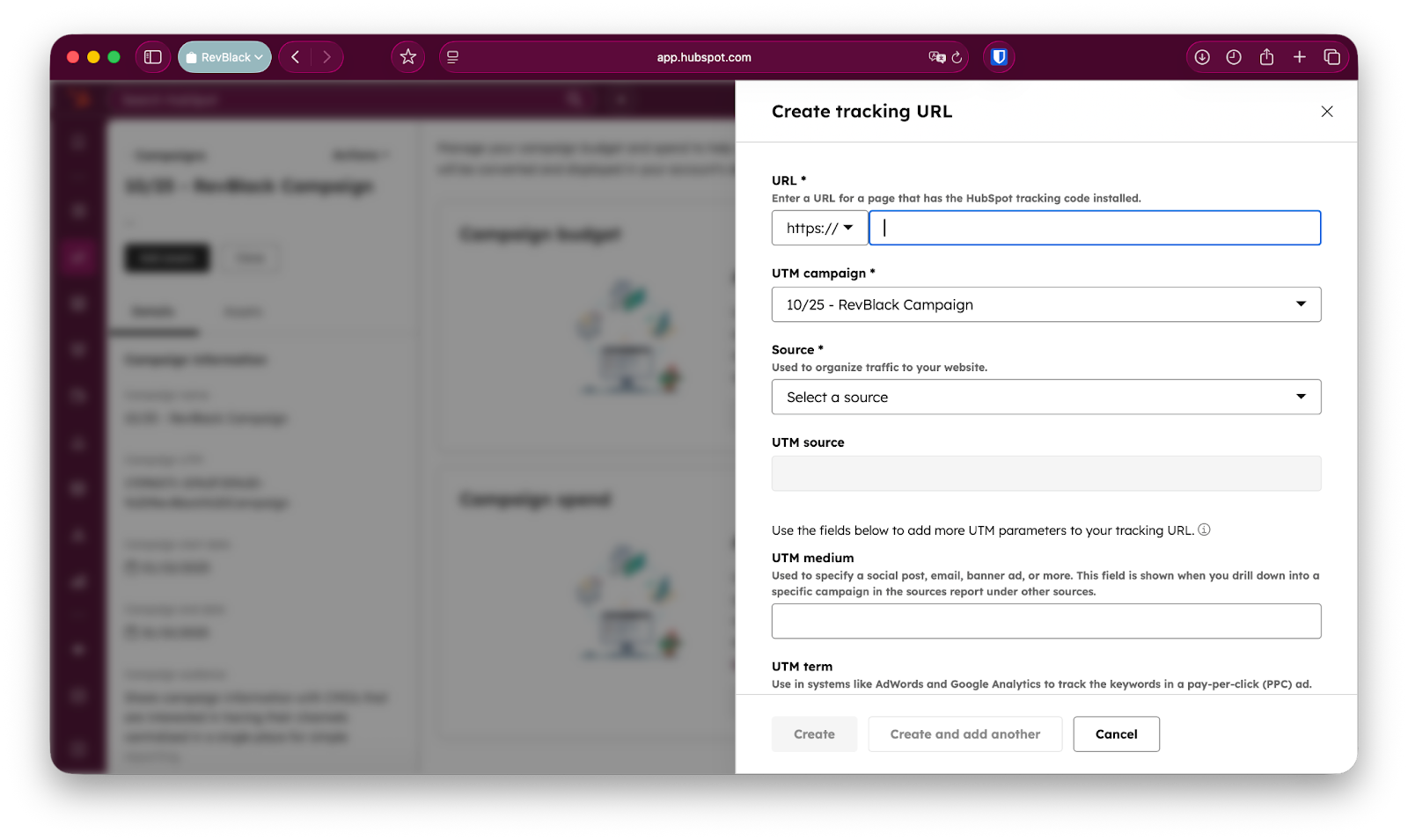
- Advertising assets. Ad campaigns from the ads tool associate to sync spend data, and tracking URLs monitor traffic from specific assets like ads embedded in a blog post. A campaign must exist before its tracking URLs can be created.
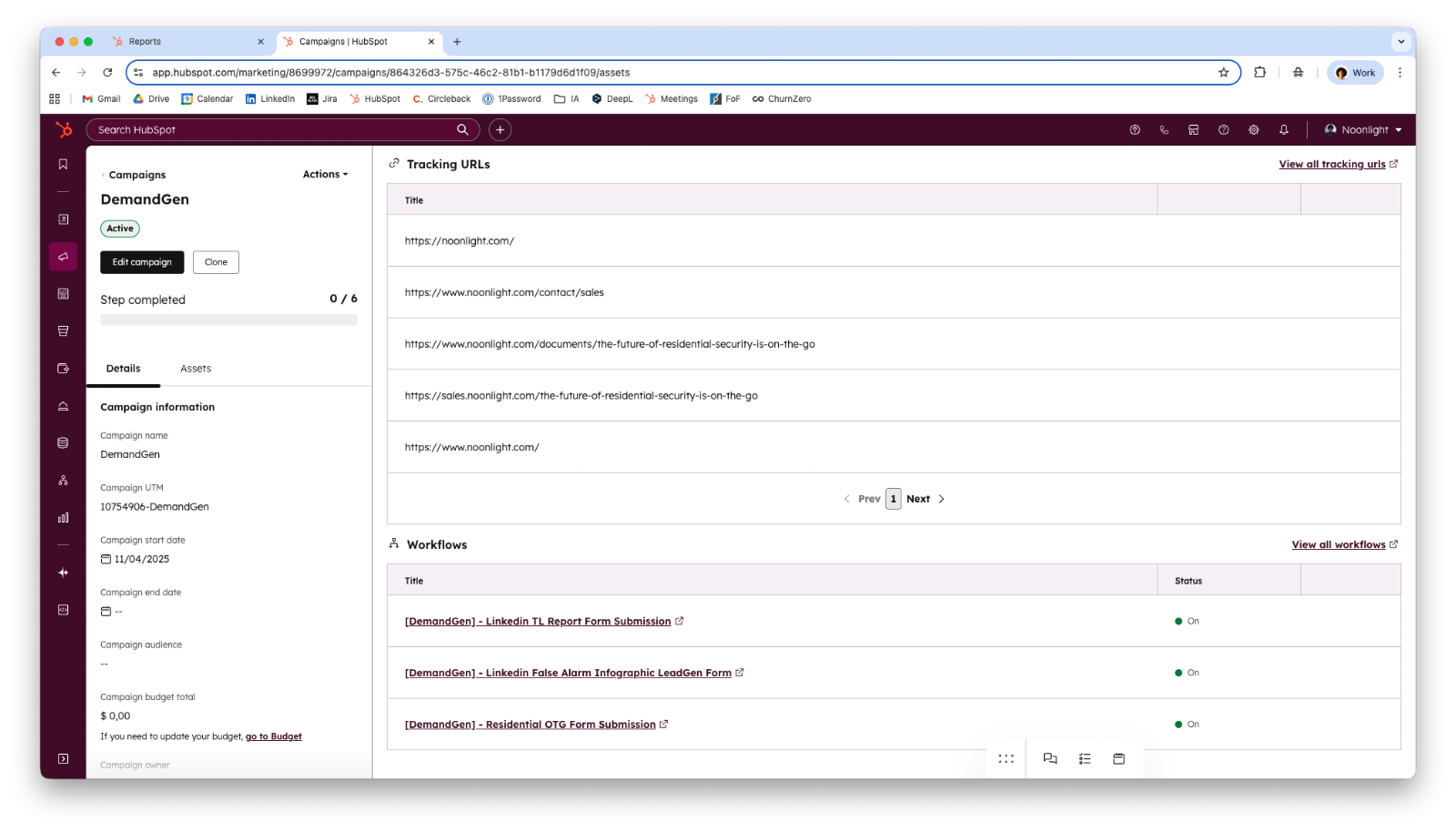
- Interaction assets. Calls, whether logged manually or generated by HubSpot, plus workflows and lists, group under the campaign to capture engagement.
Consolidating these assets is what links each contact to its origin and to the path that turned it into a lead. RevBlack organizes assets under a common thread, by content, context, or solution, so reporting stays coherent as the campaign grows.
What Are the Phases of a HubSpot Campaign Implementation?
A HubSpot campaign implementation runs in six phases, and discovery is the bulk of the work. The phases move from understanding the business to fine-tuning campaigns once they are live.
- Discovery. Discovery is 75% to 80% of the project: asking the must-ask and nice-to-know questions, mapping the lead generation process, and agreeing how reporting should look.
- Campaign creation. Campaign creation builds the essential marketing campaigns with as much information as possible, ideally including an approximate budget.
- Content association. Content association attaches the relevant assets to each campaign to organize the CRM.
- Automation. Automation creates personalized contact, lead, and deal sources using HubSpot's native original traffic source as the foundation.
- Reporting. Reporting builds the dashboards and reports defined in discovery.
- Fine-tune. Fine-tune makes performance-based suggestions, such as A/B testing emails by open rate, once campaigns are running.
How Do You Implement a HubSpot Campaign Step by Step?
Implement a HubSpot campaign by moving through six stages that mirror the phases above: define the objective and KPIs, plan content and assets, build the campaign structure, design automation, build the reporting blueprint, and optimize. The order matters, because foundational planning comes before any technical execution.
1. Define campaign objective and KPIs
Start by setting the strategic goal, the target audience, and the success metrics. The strategic goal is the business objective, such as increasing MQLs by a set percentage or driving a target in closed-won bookings. The KPIs come from the three campaign KPIs above, and the existing lead sources and ROI tracking come from the must-ask questions.
2. Plan content and assets
Plan the message, the content inventory, the channels, and the budget. Identify the problem the campaign solves, the existing content that can be repurposed, the new content to create, and the channels for distribution. If paid advertising is involved, set an approximate budget here.
3. Build the campaign structure
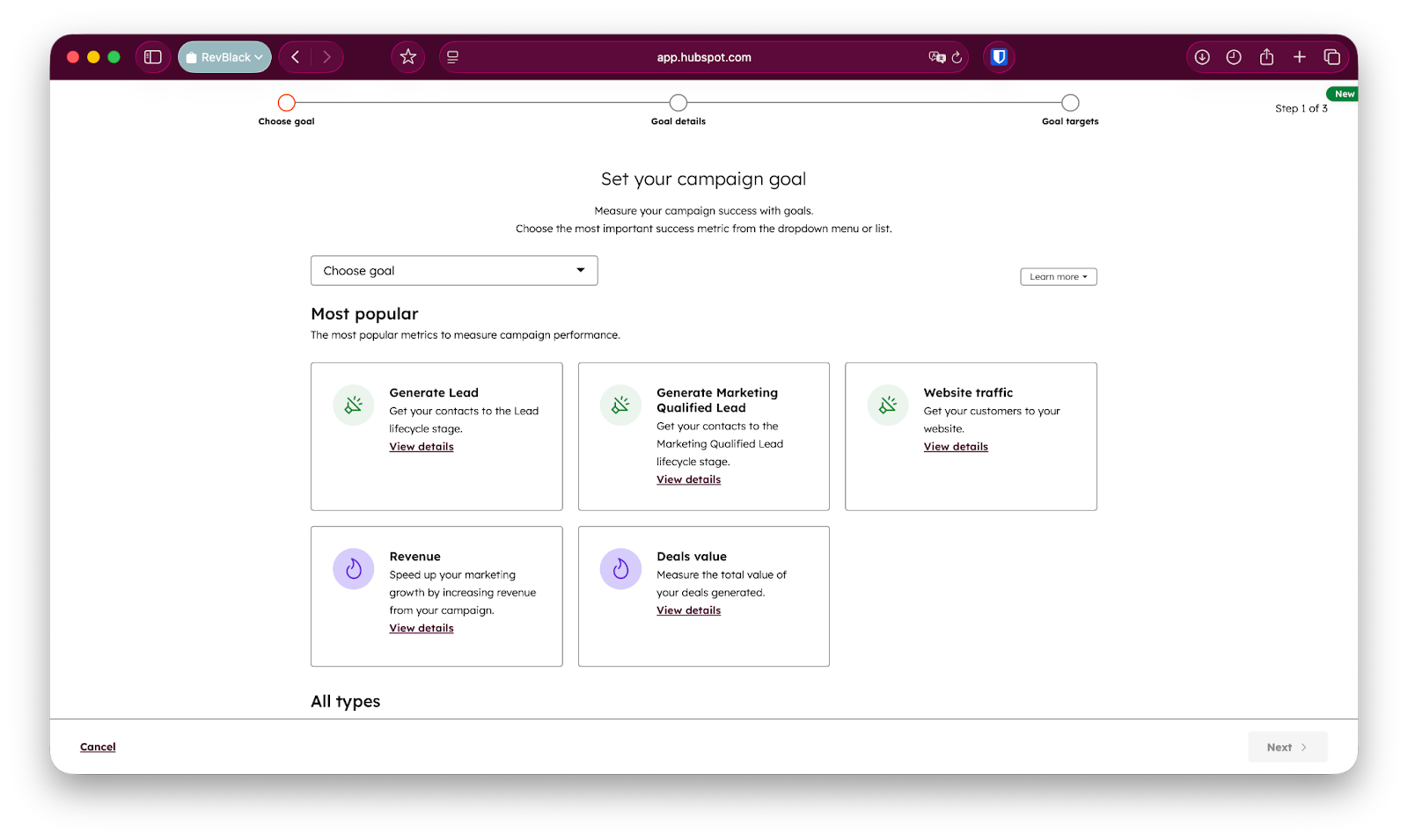
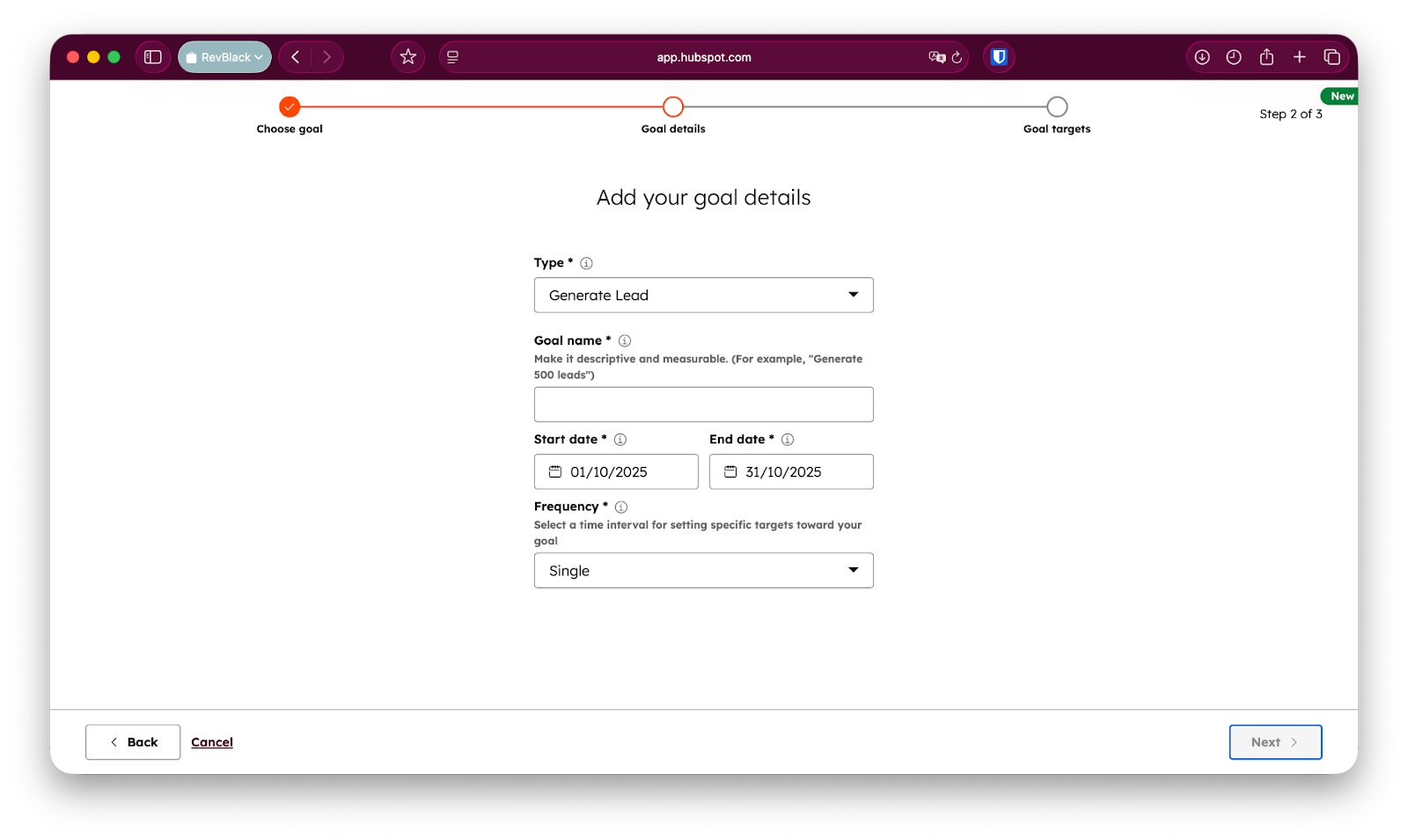
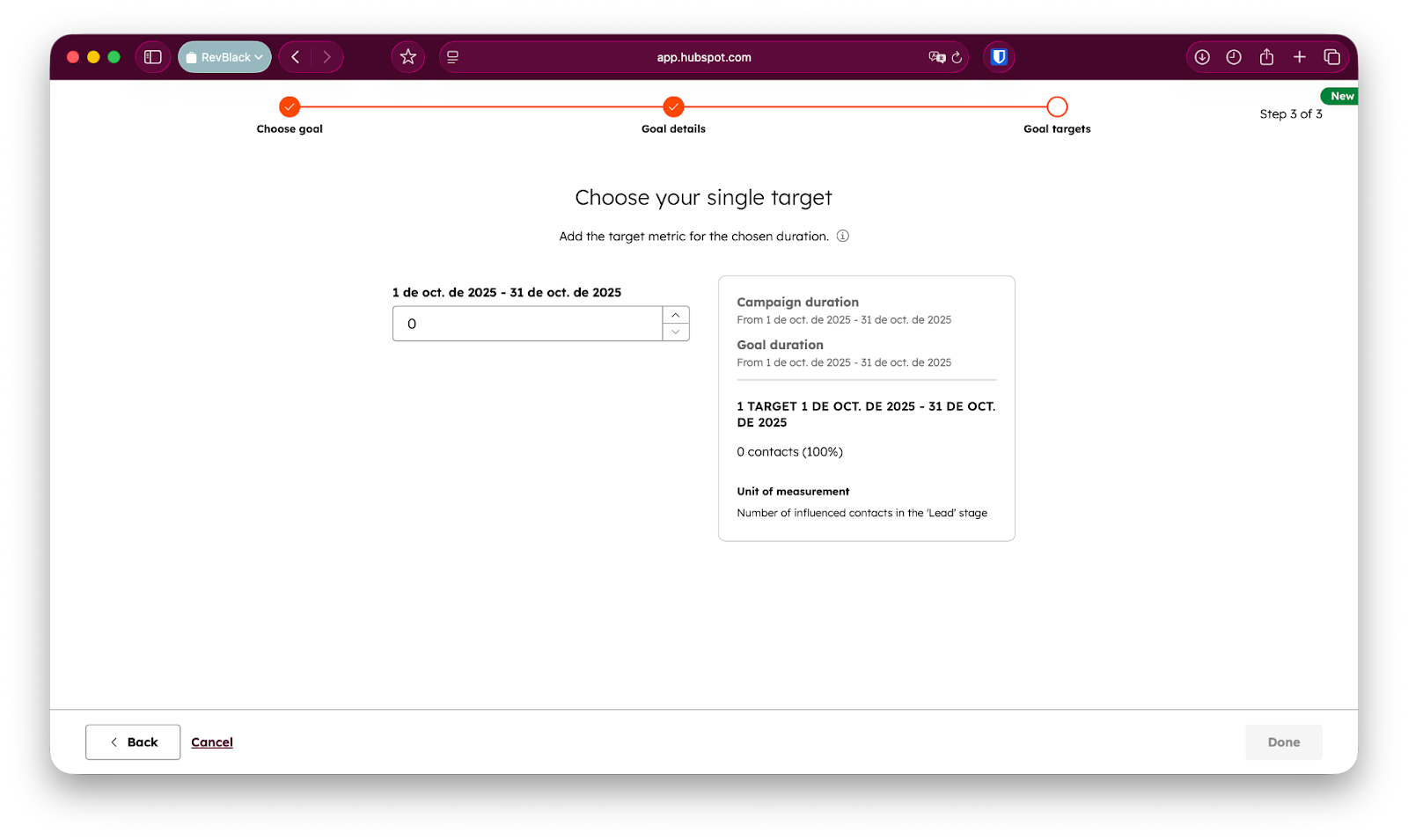
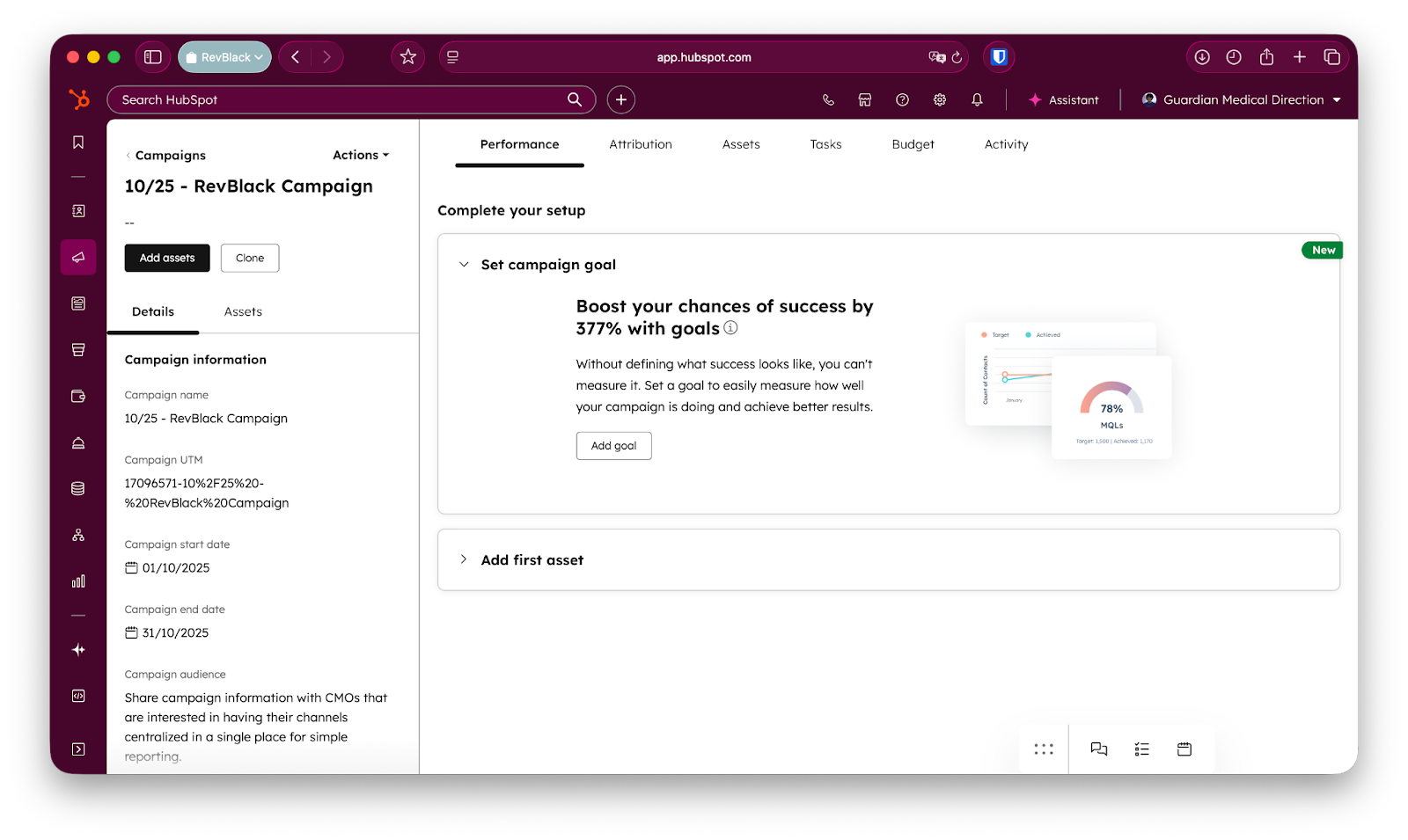
Build the campaign with a consistent naming convention, complete details, and a clear goal. Establish a naming convention for the campaign and every associated asset so reporting stays easy to read. Set the details: color, brand if the brands add-on exists, owner, start and end dates, audience, default currency, and notes. Then choose a goal from HubSpot's templates and associate the planned assets.
4. Design workflow and automation
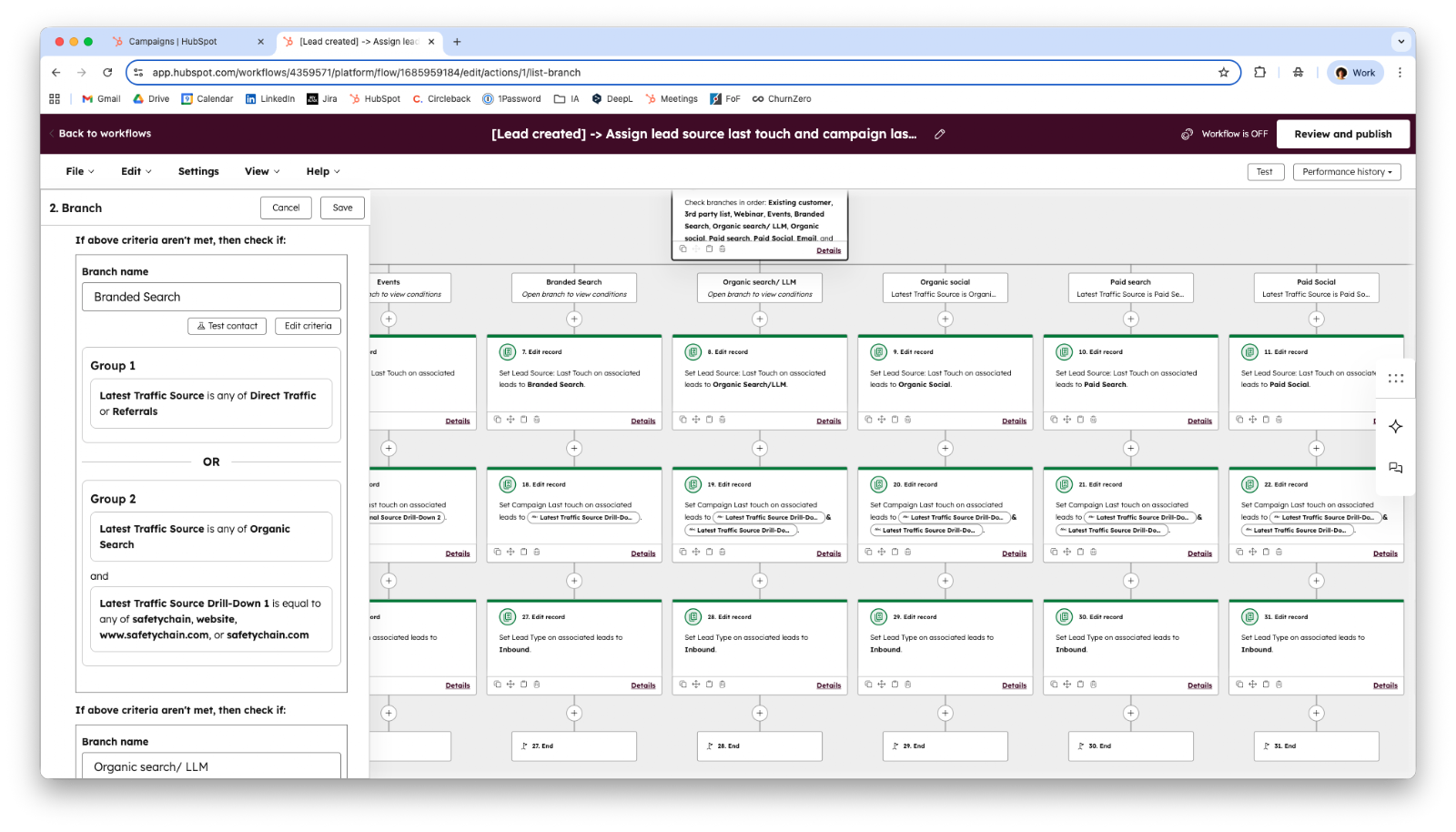
Design automation to attribute every contact to its campaign source, including offline and manual leads. The core build is two custom properties, Lead Source: First Touch and Lead Source: Last Touch, which extend HubSpot's native source property to capture personalized sources like tradeshows or sales outreach. Automation can also personalize communications based on prior interactions, and a Salesforce customer connects both tools at this stage. Most of this automation runs on HubSpot workflows, which branch by traffic source to stamp the right value.
5. Build the reporting blueprint
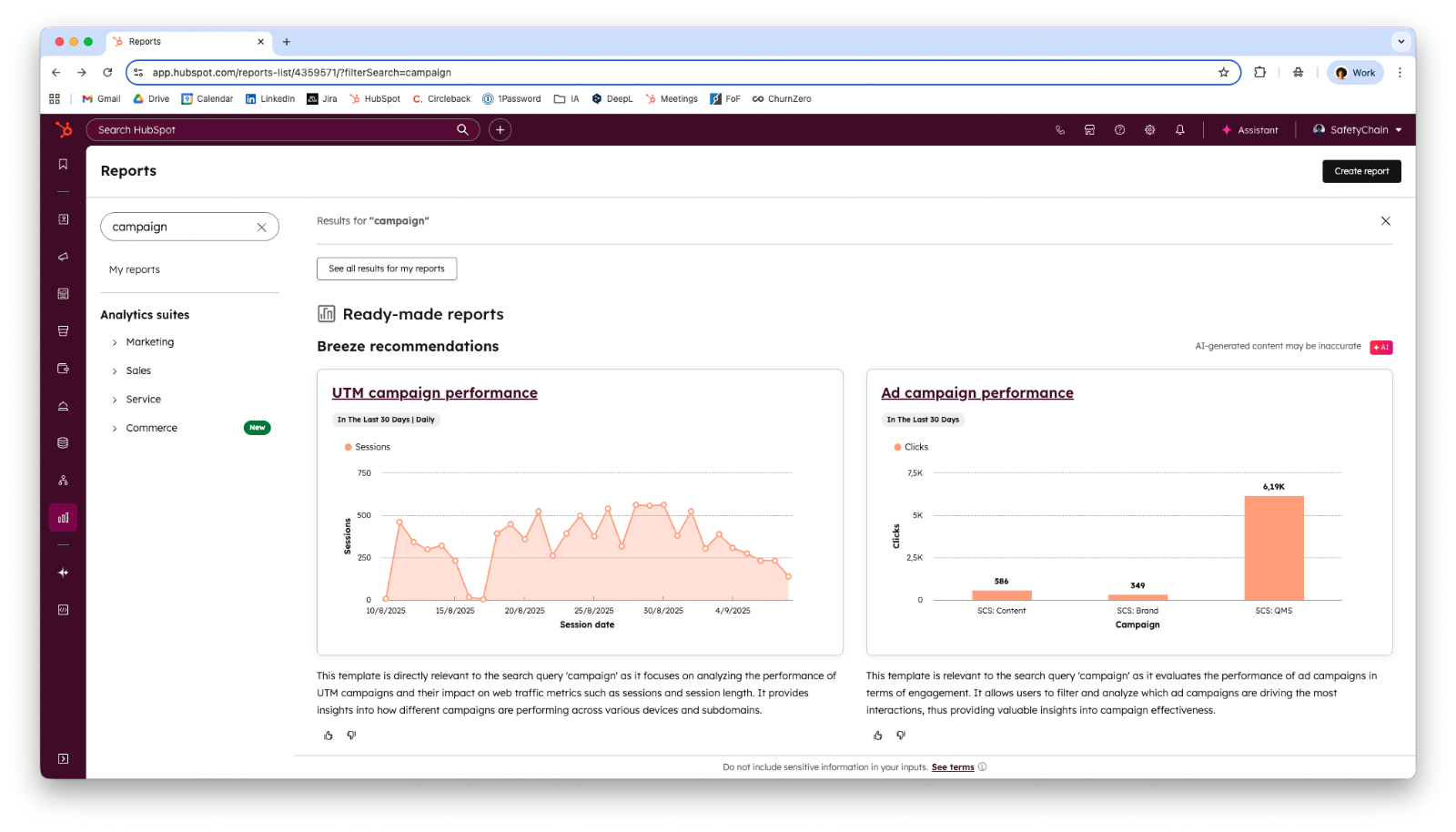
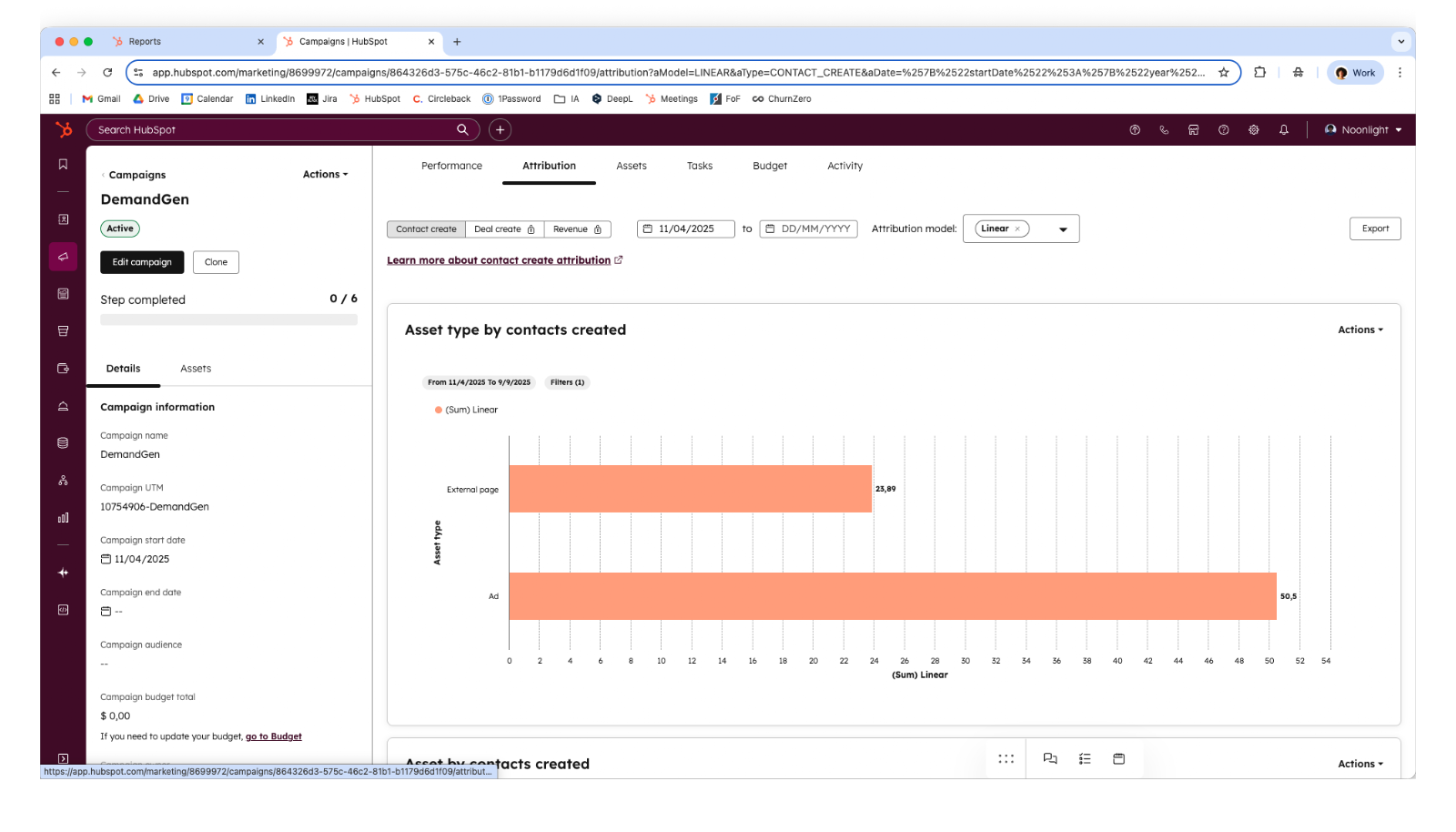
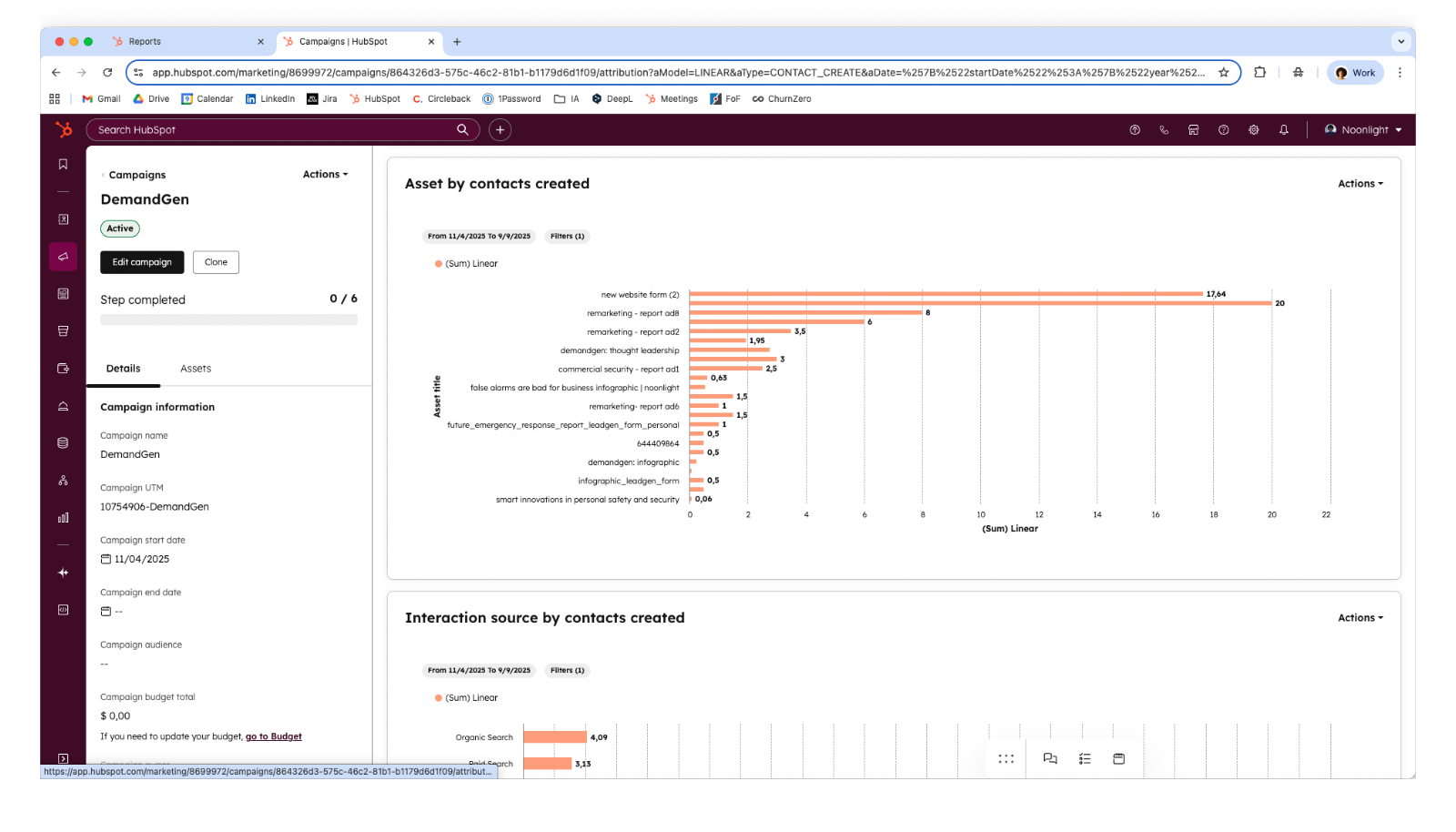
Build reports against the defined KPIs, integrate them into dashboards, and choose an attribution model. Plan the specific reports from discovery, such as speed-to-lead, lead creation per source, campaign breakdown, and deals created or closed by campaign. Then decide how reports appear on dashboards and how HubSpot's attribution models credit each touchpoint and asset. HubSpot's attribution reporting models credit contacts, deals, and revenue across the customer journey, and the right model depends on how the lifecycle stages are defined, which the lifecycle stage and lead management guide covers in depth.
6. Optimize
Optimize by identifying test opportunities and building a feedback loop. A/B test elements like email subject lines and landing page CTAs, and create a process for sales and marketing to feed improvements into future campaigns.
What Are the Most Common HubSpot Campaign Implementation Challenges?
The most common HubSpot campaign challenges are organizational and process problems, not software limits. RevBlack sees the same issues repeat across implementations, and most trace back to unclear process or incomplete setup.
The recurring challenges are:
- Disorganized marketing assets. Clients often lack a structured way to manage materials, so assets need grouping into campaigns by a common thread.
- Internal misalignment. A lack of internal consensus blocks the answers to the must-ask questions.
- Unclear ROI metrics. Without defined ROI goals, the value of the work is hard to demonstrate, which is why discovery meetings matter.
- Resistance to change. Adoption requires showing each stakeholder the individual benefit, usually through workshops that map the current process into the new one.
- Manual process inconsistency. Variable manual processes resist automation, so standardizing the process comes before automating it.
- Incomplete campaign setup. Blank budget fields or unlinked ads skew ROI, so the reporting consequences of missing data must be made explicit.
- Incorrect dashboard filtering. A 30-day rolling window applied instead of the campaign's actual timeframe produces inaccurate analysis.
- Sourcing workflow complexity. Sourcing is a two-step process: assign first touch at contact creation, and assign last touch when the contact converts to an MQL.
- Integration issues. When HubSpot does not integrate cleanly with the client's stack, inconsistencies appear and must be analyzed case by case.
Where to Start
A HubSpot campaign implementation is mostly discovery and attribution, not clicking buttons in the tool. The build that proves ROI depends on mapping lead sources, stamping first and last touch, and reporting against three clear KPIs. RevBlack runs the discovery and reporting blueprint first, so campaigns demonstrate ROI from the day they go live. The next step is to implement a lead score that works alongside the campaign, so every asset interaction qualifies the contact and strengthens attribution.